
Airbnb payout question
How do I export my Airbnb transaction history as a CSV?
On desktop, Airbnb’s help page gives the path Today > Menu > Earnings, then Upcoming or Paid, then Export CSV. The monthly and annual statements Airbnb generates are a separate thing: those you download or email as a PDF.
Airbnb’s steps on desktop
Download your earnings (Help 3632) lists these steps under “Export a CSV file of earnings on desktop”:
- Click Today > Menu > Earnings
- Click Upcoming or Paid
- Filter dates, listings, and earnings types
- Click Export CSV
- Choose how to export the report and what to include
- Click Export CSV
The wording of these steps changed between our readings on 2026-10-30 and 2026-11-07. If your screen differs, follow the current help page.
About the name: Airbnb’s current help pages put the export under Earnings. An older Resource Center article (426, from 2021, updated 2022) says: “You’ll always be able to find a record of any payouts or adjustments in your transaction history.”
CSV file or PDF report
The PDF statements. “If you want to review your earnings, Airbnb automatically generates your monthly and annual statements.” And: “You can access reports as far back as the year you started hosting, break down by listing and payout method, and download or email each report as a PDF.” Each includes “A breakdown of gross earnings, adjustments, host service fee, any taxes withheld, and total net pay”.
The CSV file. “The CSV file can be opened by any standard spreadsheet program (like Microsoft Excel, Google Sheets, or Apple Numbers).” And: “This spreadsheet includes additional information, like your earnings, host service fees or cleaning fee (if you charge one), as well as gross earnings and any taxes withheld for each earning.”
How it shows in your Airbnb report
Two lines from our free example file, with fictional data. The column names are the example file’s; the Airbnb pages we read do not list the columns, so your file may differ.
| Column | Payout line | Reservation line |
|---|---|---|
| Date | 10/12/2026 | 10/12/2026 |
| Type | Payout | Reservation |
| Reference code | G-80GGT344KTLFJ | empty |
| Confirmation code | empty | HMJZX9VKU9 |
| Paid out | 352.11 (example) | empty |
| Amount | empty | 352.11 (example) |
| Service fee | empty | 10.89 (example) |
| Cleaning fee | empty | 75.00 (example) |
| Gross earnings | empty | 363.00 (example) |
In the example file, a payout line comes first and the lines it pays follow it. This payout, 352.11 (example), equals the reservation’s amount: gross earnings of 363.00 (example) minus the service fee of 10.89 (example). Other payouts in the example cover several lines.
Check it yourself in 3 steps
- Export with all listings selected. Filter by dates if you need to, but keep every listing in. A listing filter leaves the other listings’ lines out of the file.
- Pick one payout. Open the file in your spreadsheet app and note the payout amount.
- Add up its lines. Add the lines that belong to it (in the example file, the lines right after it) and compare. If the sum falls short, export the same dates again with no listing filter before you look further.
What the workbook flags
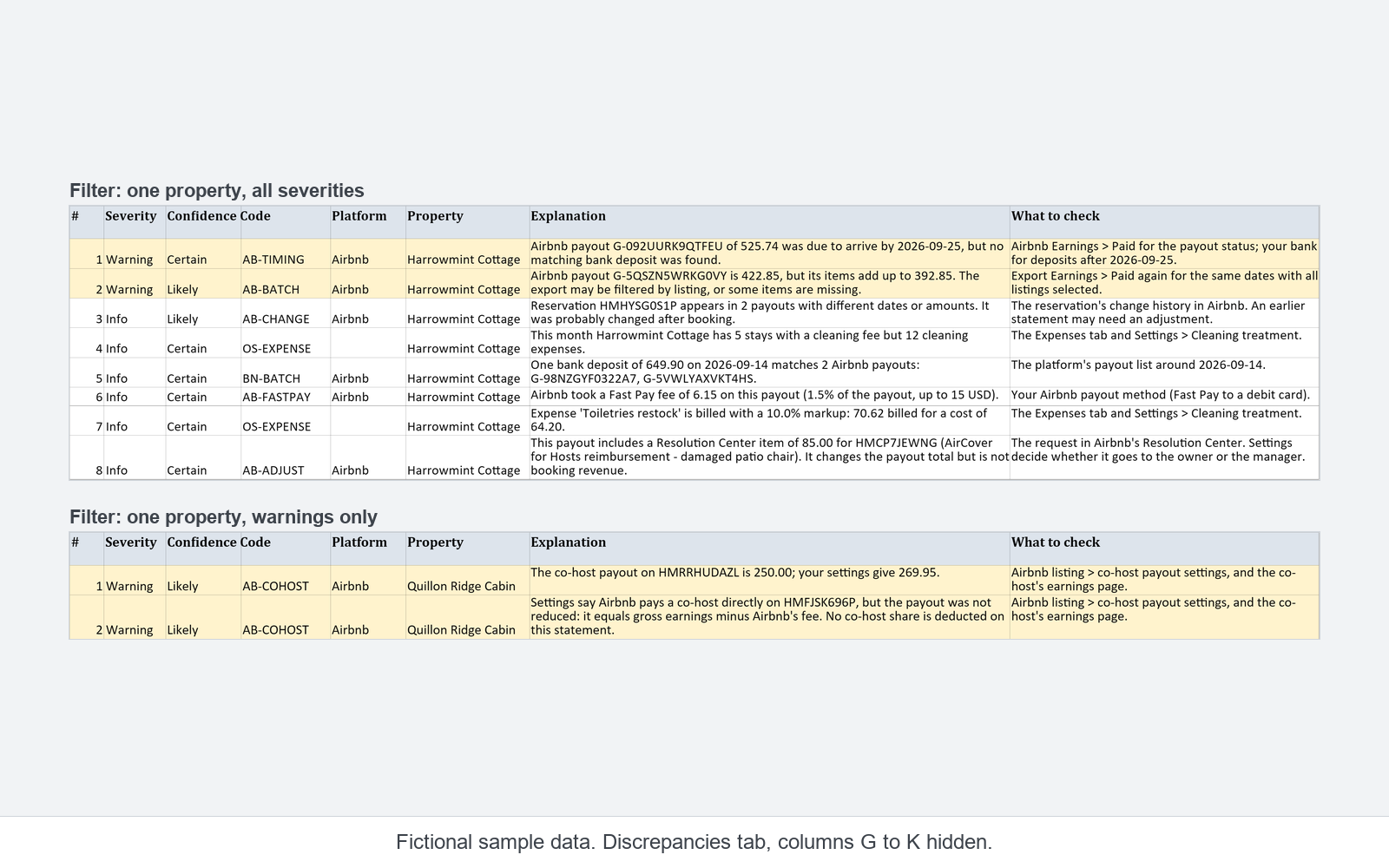
The workbook checks each payout against the sum of its lines. In the example file, it flags payout G-KWT94MQ4S9VKQ with an AB-BATCH warning (Likely): the payout is 422.85 (example), its items add up to 392.85 (example), and the note says “The export may be filtered by listing, or some items are missing.” What to check: “Export Earnings > Paid again for the same dates with all listings selected.”
When a payout covers several lines and the sum matches, the same code is only an Info note.
Covers Airbnb and one bank account. Not tax, legal or accounting advice. Not affiliated with or endorsed by Airbnb.
Sources
- Download your earnings, Help 3632, read 2026-11-07
- What happens when guests cancel or change a booking?, Resource Center 426 (2021-07-19, updated 2022-08-24), read 2026-10-30
Quoted word for word as read. Airbnb may change these pages.
See it in the example file
The free example is a read-only snapshot of the workbook with fictional data; it does not work with your own reports. The two lines above are rows 2 and 3 of its IN_Airbnb tab.