
Airbnb payout question
Where is the cleaning fee in my Airbnb payout?
Airbnb’s payout formula starts with your nightly rate plus optional extra charges, such as a cleaning fee, and then subtracts the host service fee and any co-host payouts you share. So the cleaning fee is part of the booking’s payout, and Airbnb’s service fee is worked out on it as well.
What Airbnb says
- Calculating your payout (Help 459): “Your nightly rate plus your optional extra charges (a cleaning fee or extra guest fee, etc.) minus the host service fee and any co-host payouts you share = your payout.”
- Airbnb service fees (Help 1857), on the split fee: service fees “are a percentage of the nightly price and any fees charged by the host, but exclude the guest service fee and taxes”.
- On the single fee (Resource Center 771): “The single fee applies to your nightly price and any fees you add, like a cleaning, pet, or extra guest fee.”
More on the two fee structures.
How it shows in your Airbnb report
Airbnb says the earnings CSV “includes additional information, like your earnings, host service fees or cleaning fee (if you charge one), as well as gross earnings and any taxes withheld for each earning.” Below is one stay from our free example file (fictional data). The column names are the example file’s; the Airbnb pages we read do not list the columns.
| Column (example file) | Value |
|---|---|
| Gross earnings | 535.00 (example) |
| Cleaning fee | 85.00 (example) |
| Service fee | 16.05 (example) |
| Amount | 518.95 (example) |
The cleaning fee has no line of its own here: it is a column on the reservation line. The line’s amount, 518.95 (example), is the gross earnings of 535.00 (example) minus the service fee of 16.05 (example).
The example’s payout for this stay is 583.15 (example): this line plus a 64.20 (example) line of type Pass Through Tot, which carries no cleaning fee.
Two related cases
You share the cleaning fee with a co-host
One option on How co-host payouts work (Help 3389) is “Cleaning fee: You'll share the amount you set as your cleaning fee in your listing details”. More on co-host payouts.
The guest does not check in
An older Resource Center article (426, from 2021, updated 2022) says: “You won’t receive a cleaning, pet, or extra guest fee if your guest doesn’t check in.” Check your own booking in Airbnb.
Check it yourself in 3 steps
- Export one stay. Pick a stay with a cleaning fee and export your earnings CSV for its dates (Airbnb’s steps).
- Find three figures. On that stay’s line, find the gross earnings, the cleaning fee and the host service fee. Airbnb says the CSV includes all three.
- Do Airbnb’s sum. Nightly rate plus extra charges such as the cleaning fee, minus the host service fee and any co-host payouts you share, is your payout (Help 459). If your payout differs, look for other lines in the same payout.
What the workbook flags
For the stay above, the example’s Discrepancies tab has an AB-CLEANING note (Info, Likely): “Airbnb's fee also applies to the cleaning fee.” It puts about 2.55 (example) of the 16.05 (example) fee on the cleaning fee; that split is the workbook’s own calculation. The note appears when your commission base or cleaning setting treats the cleaning fee separately; here the setting is Manager keeps cleaning fee.
On the owner statement, a cleaning fee the manager keeps has its own line, Cleaning fees kept by the manager.
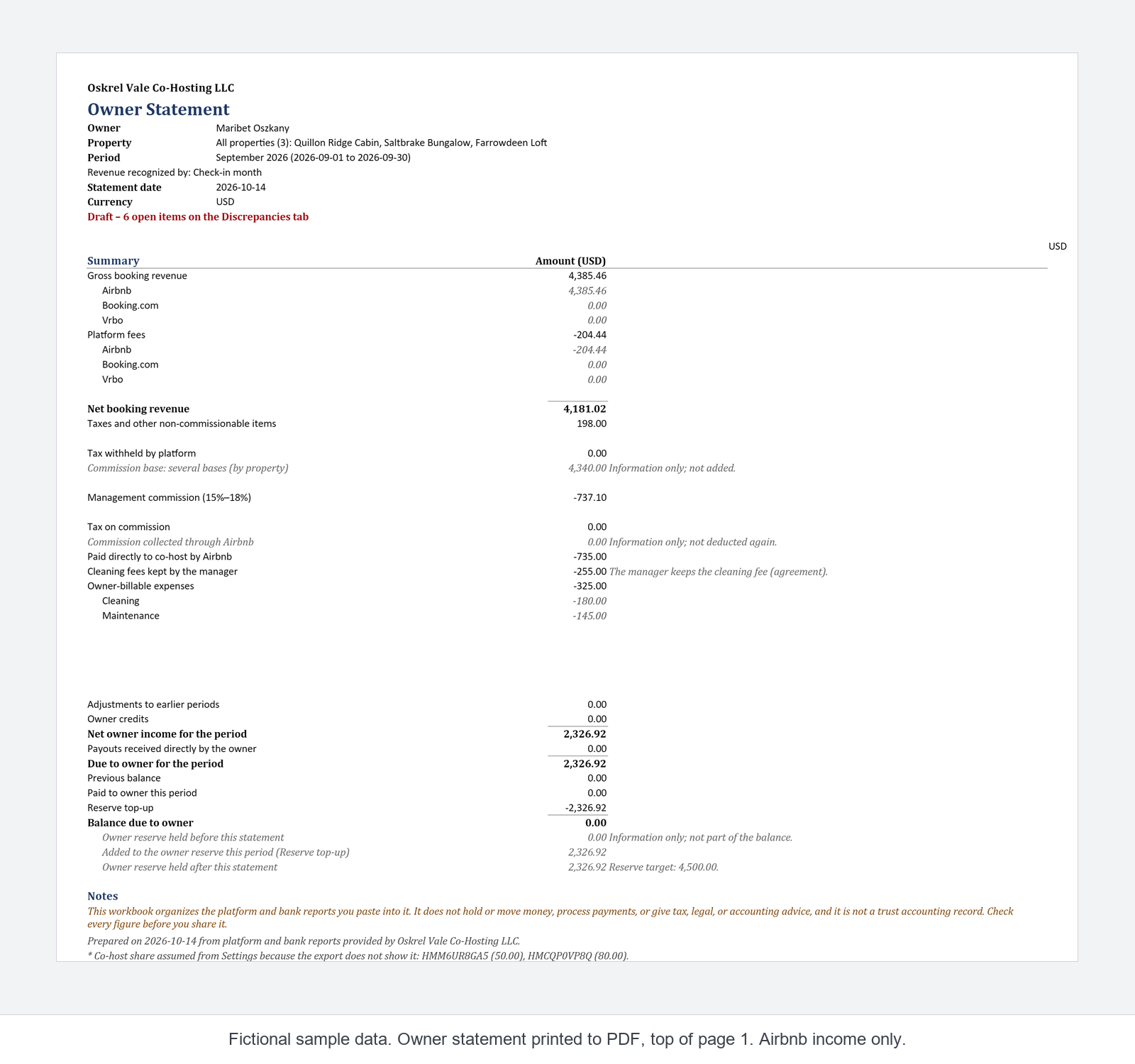
Covers Airbnb and one bank account. Not tax, legal or accounting advice. Not affiliated with or endorsed by Airbnb.
Sources
- Calculating your payout, Help 459, read 2026-10-30
- Airbnb service fees, Help 1857, read 2026-10-30
- Simplifying service fees on Airbnb, Resource Center 771, read 2026-10-30
- Download your earnings, Help 3632, read 2026-11-07
- How co-host payouts work, Help 3389, read 2026-11-07
- What happens when guests cancel or change a booking?, Resource Center 426 (2021-07-19, updated 2022-08-24), read 2026-10-30
Quoted word for word as read. Airbnb may change these pages.
See it in the example file
The free example is a read-only snapshot of the workbook with fictional data; it does not work with your own reports. Look for HMWHLUDV0B.