
Airbnb payout question
What happens to my Airbnb payout when a guest gets a refund?
If your guest is owed a refund, Airbnb says the refund amount is deducted from your future payouts until the full amount is collected. Airbnb calls what a host owes after “a cancellation, reservation change, or violation of our Guest Refund Policy” an adjustment, and says adjustments are deducted from the next scheduled payout(s).
What Airbnb says, case by case
- Your guest cancels (Help 1335): “If they cancel either before or after a trip, they’ll be automatically refunded according to your cancellation policy.” Then: “Their refund amount is deducted from your future payouts until the full amount is collected.”
- You cancel before the trip (Help 1509): “If you cancel a reservation before the trip starts, your guest will be refunded in full, and you won’t receive a payout for that booking.”
- You cancel after check-in (Help 1509): “If you cancel after the trip has started and your payout has already been released by Airbnb, we’ll deduct the refund amount from future payouts until the full amount is collected. You’ll find the related deduction as an adjustment to an upcoming payout in your earnings dashboard.”
- The policy text (Help 2868): “If a host cancels a reservation or another Reservation Issue disrupts a guest’s stay, the host will receive no payout or will have their payout reduced by the amount refunded to their guest.”
The refund amount itself depends on your cancellation policy, which this page does not cover. For co-hosts, Help 366 adds: “Additionally, adjustments may also impact co-host payouts.”
How it shows in your Airbnb report
One case from our free example file, with fictional data. The column names and line types are the example file’s; the Airbnb pages we read do not list them.
| Date and type | Code | Amount |
|---|---|---|
| 08/24/2026 Payout | G-4MPAWUGFZDTU4 | 586.85 (example) |
| 08/24/2026 Reservation | HMSVXGSWE0 | 586.85 (example) |
| 09/03/2026 Payout | G-BHRKBVQENMHB3 | 320.38 (example) |
| 09/03/2026 Reservation | HM06F1TKDQ | 440.38 (example) |
| 09/03/2026 Adjustment | HMSVXGSWE0 | -120.00 (example) |
The August stay HMSVXGSWE0 was paid out on 08/24/2026: 586.85 (example). In September, an adjustment of -120.00 (example) for that stay sits inside the payout for another booking, so that payout is 320.38 (example) instead of 440.38 (example). The example file does not say why the adjustment was made.
Check it yourself in 3 steps
- Open the Earnings dashboard. Airbnb says: “To find your updated payout amount, go to your Earnings dashboard.” And: “If you owe a guest money for a cancellation or reservation change, you can track it in your Earnings dashboard.”
- Look at the later payouts. Airbnb says adjustments are deducted from the next scheduled payout(s), so check the payouts after the refund. In the example, the deduction sits in a payout for a different booking.
- Add up that payout. Add its lines, including the negative adjustment, and compare with the payout amount.
What the workbook flags
On the payout that carries the deduction, the workbook puts an AB-CANCEL note (Info, Likely): “Reservation HMSVXGSWE0 was cancelled or partly refunded”, with the 120.00 (example) taken back from this payout.
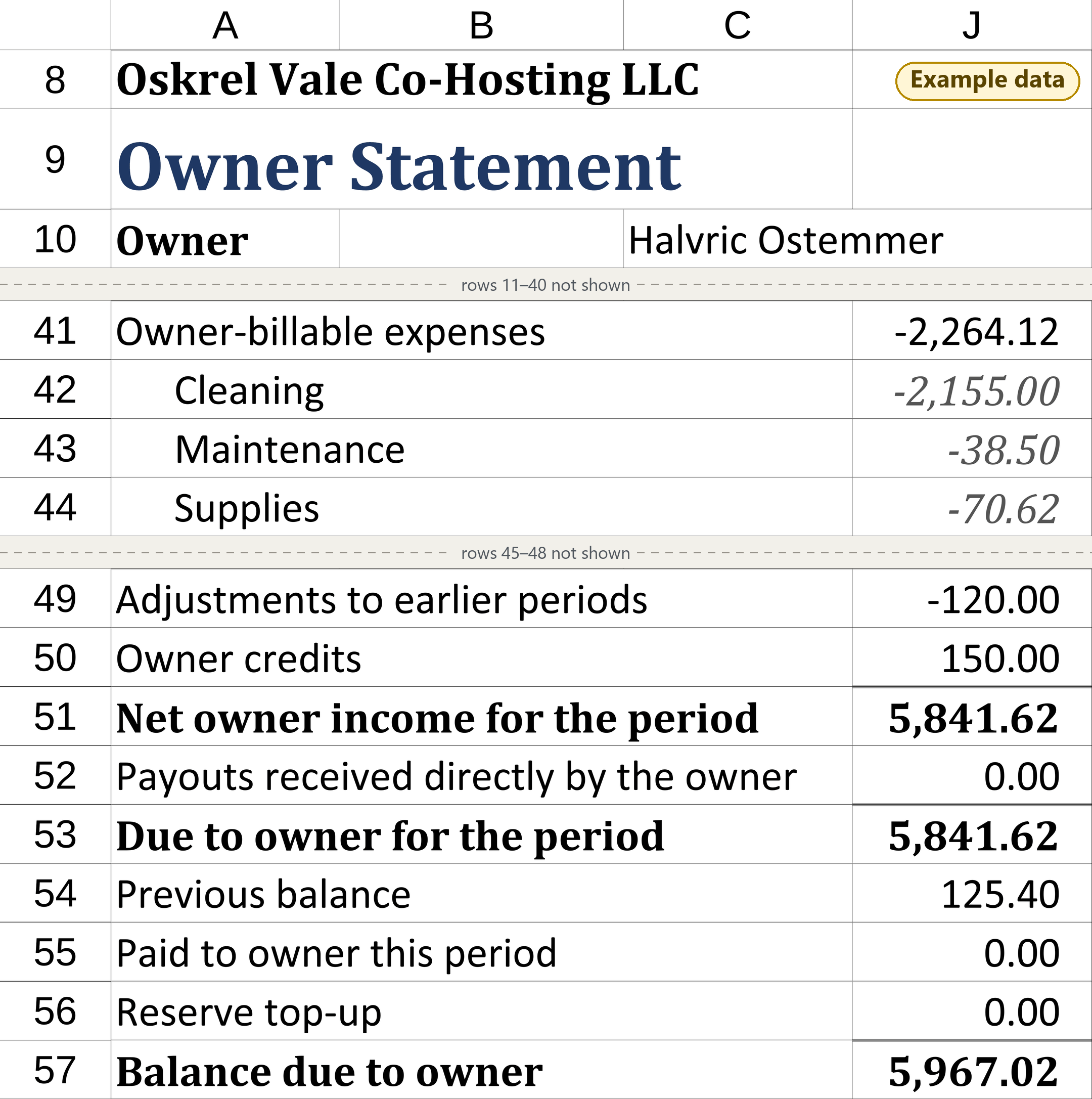
The stay is from August and the deduction from September, so it also adds an OS-ADJUST note: the -120.00 (example) “is shown as an adjustment to that earlier statement.” On the owner statement it goes on the line Adjustments to earlier periods, not into gross booking revenue, with a table that names the original stay.
Covers Airbnb and one bank account. Not tax, legal or accounting advice. Not affiliated with or endorsed by Airbnb.
Sources
- Your payout if a guest cancels, Help 1335, read 2026-10-30
- Your payout if you cancel a guest's reservation, Help 1509, read 2026-10-30
- Rebooking and refund policy for homes, Help 2868 (effective February 6, 2025), read 2026-10-30
- What an adjustment on your earnings means, Help 366, read 2026-10-30
- Find your earnings, Help 304, read 2026-10-30
Quoted word for word as read. Airbnb may change these pages.
See it in the example file
The free example is a read-only snapshot of the workbook with fictional data; it does not work with your own reports. The lines above are on its IN_Airbnb tab, rows 113 to 115 and 143 to 144.