
Fixfolder · Airbnb payout questions
Your Airbnb payout doesn’t match your bank deposit
An Airbnb payout and a bank deposit don’t always line up one to one: Airbnb says After Airbnb releases your payout, there’s a processing time before the money arrives with your payment provider
, and payouts can be combined or reduced by an adjustment. Compare each deposit with the payout amounts in your Airbnb earnings from a few business days before, not with the booking total.
How it shows in your Airbnb report
Four cases from the free example workbook. The data is fictional; each row is one Airbnb payout and what the bank shows for it.
| Case | Airbnb report | Bank |
|---|---|---|
| Weekend | Payout of 264.81 (example), dated Saturday 2026-09-19 | 264.81 (example) on Monday 2026-09-21 |
| Two payouts, one deposit | Payouts of 262.87 (example) and 387.03 (example), both dated 2026-09-10 | One deposit of 649.90 (example) on 2026-09-14 |
| Adjustment taken out | A reservation of 440.38 (example) and an adjustment of -120.00 (example) for an August stay, paid as one payout of 320.38 (example) on 2026-09-03 | 320.38 (example) on 2026-09-04 |
| Not there yet | Payout of 525.74 (example), dated 2026-09-21 | No matching deposit in the bank file |
What Airbnb says about these cases
- Processing days. Airbnb lists
ACH (direct deposit): 3 business days (available for USA and Puerto Rico only)
andBank account: 3–5 business days
. Also:Banking systems don’t process transactions on weekends or holidays, so your money will be processed the next business day.
Help 425 - Combined payouts.
If you have multiple listings with reservations that start on the same day, earnings may be paid out together, which will be displayed in a single row.
Help 304 And:When you set a minimum payout amount, you can combine payouts to cut down on transaction fees charged by your bank or financial service provider
Help 3133 - Adjustments.
Adjustments will be automatically deducted from the next scheduled payout(s).
Help 366 - Fees.
In some cases, the financial institution or payout method you use to get your money may charge additional fee(s).
Help 425 - Waiting.
Keep in mind it can take up to 5 days for payment processing.
Help 304
Check it yourself in 3 steps
-
List the payouts
In your Earnings dashboard, find the payout. Airbnb:
Select each row to review earnings details, including reservation information, adjustments, and cancellation details.
Note each payout’s date and amount. To work in a spreadsheet, export the CSV. -
Find the deposit
In your bank statement, look for the same amount within your payout method’s processing days after the payout date, skipping weekends and holidays. If no single deposit matches, add up payouts dated close together.
-
Explain the gap
If the payout is smaller than the booking, look in the row details for an adjustment or a co-host payout. Airbnb’s formula:
Your nightly rate plus your optional extra charges (a cleaning fee or extra guest fee, etc.) minus the host service fee and any co-host payouts you share = your payout.
For a missing payout, Airbnb says:If you’re expecting a payout that hasn’t been processed yet, open the transaction in your Earnings dashboard to find the Payout ID.
Contact your bank or payment provider directly with that Payout ID to locate your funds.
Help 459, 304
What the workbook flags
The workbook links each Airbnb payout to a bank deposit and gives it a status, such as Matched, Matched in group or Not in bank. The statuses and codes are the workbook’s own labels, not Airbnb terms. In the example, the four cases above get these codes:
BN-TIMING(Info): Airbnb sent the payout on 2026-09-19 and it reached the bank on 2026-09-21, 2 days later.BN-BATCH(Info): one bank deposit of 649.90 (example) matches 2 Airbnb payouts.AB-CANCEL(Info): 120.00 (example) was taken back from the payout. It relates to a stay in 2026-08, so it is also shown as an adjustment to that earlier statement (OS-ADJUST).AB-TIMING(Warning): the payout of 525.74 (example) was due to arrive by 2026-09-25, but no matching bank deposit was found.
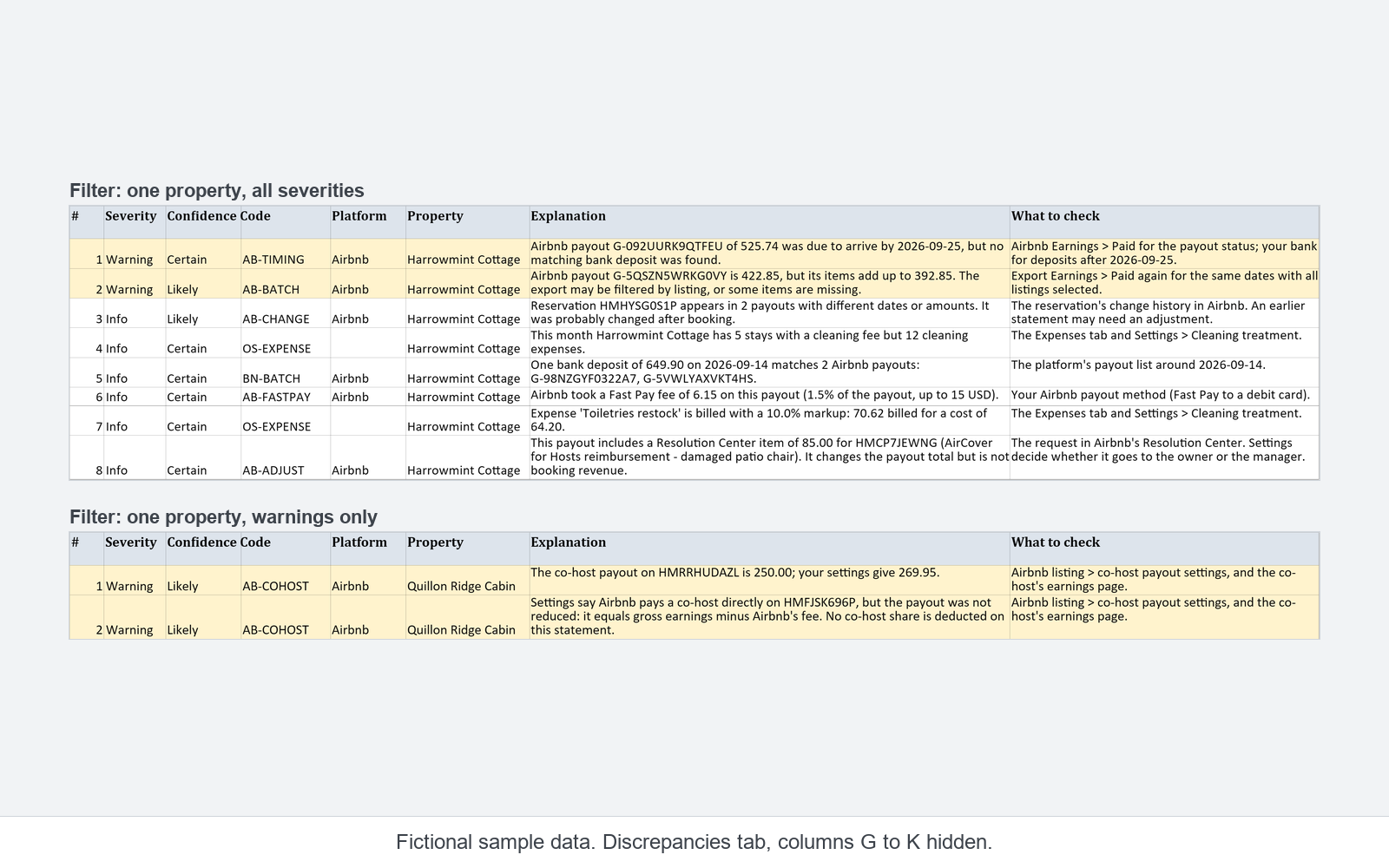
The free example is a read-only copy with fictional data. It does not work with your own reports.
Sources
- When you'll get your payout, Airbnb Help Center (Help 425). Read 2026-10-30.
- Find your earnings, Airbnb Help Center (Help 304). Read 2026-10-30.
- Getting paid as a new host, Airbnb Help Center (Help 3133). Read 2026-10-30.
- What an adjustment on your earnings means, Airbnb Help Center (Help 366). Read 2026-10-30.
- Calculating your payout, Airbnb Help Center (Help 459). Read 2026-10-30.
Quotes are copied word for word from these pages as read on the dates shown. Airbnb may change its pages.